Manage Orders
Learn how you can view your orders and manage them live

Drive on Demand Unified Portal
Drive Portal functionality has been unified into the Marketplace Merchant Portal. This means that businesses are able to review active orders, update order details and reschedule/cancel orders in one merged portal experience.

Adjusting Existing Orders in the DoorDash Tablet
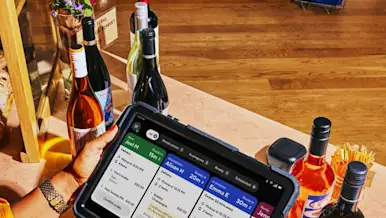
You can adjust active and scheduled orders directly from your DoorDash Tablet. This includes updating pickup times, contacting customers or Dashers, managing out-of-stock items, issuing refunds or replacements, and contacting Support — all from the Live Orders screen.

How to View Your DoorDash Orders
Learn how you can review your order history, provide delivery feedback, and dispute an error charge---all on the Merchant Portal.
How to Operate and Manage Your Store Orders
You can manage DoorDash orders in real time using the Merchant Portal, the Business Manager app, a point-of-sale (POS) integration, or the DoorDash Tablet. This includes adding pickup instructions, identifying pickup orders, marking items out of stock, contacting customers or Dashers, and canceling orders when needed.

How to Refund Orders
How Merchants can issue full or partial refunds for eligible pickup and delivery orders directly in the Merchant Portal or on your DoorDash Tablet.

How Do I Reduce Avoidable Dasher Wait Time?
Avoidable Dasher wait time is the extra time Dashers wait at pickup after your stated prep time has passed. Keeping this low helps deliveries run smoothly, improves customer satisfaction, and reduces friction at pickup. You can track your avoidable wait time in the Merchant Portal and take simple steps to reduce it.