Welcome to DoorDash merchant onboarding
This video series will walk you through setting up and optimizing your business on DoorDash.

Learn how to get started on DoorDash
You may also like

How to Navigate the Merchant Portal
The Merchant Portal is where you manage your DoorDash business — from tracking orders and payouts to updating menus, hours, and settings. This guide walks through each main section so you can quickly find what you need and take action.
Mar 25, 202616 min read
How to update account settings in the Merchant Portal
Your account settings in the Merchant Portal allow managers and admins to update store-level information such as your store name, address, contact details, pickup instructions, and email preferences. You can also review commission rates, tax rates, and payout settings in one place. Viewing and editing permissions depend on a user’s defined role in the Merchant Portal.
Sep 9, 20245 min read
How to Access Your DoorDash Tablet
You can access and start using your DoorDash Tablet as soon as it arrives. Turn the tablet on, connect to Wi‑Fi, and sign in to DoorDash Order Manager to accept orders, track Dashers, and manage your store. This guide walks through receiving your tablet, powering it on, signing in, and resetting your password if needed.
Oct 30, 20255 min read
What Is a Restaurant POS System, and How Does It Work?
Running a restaurant in 2026 means managing three channels at once: in-person diners, direct online orders through your own website, and third-party delivery through platforms like DoorDash Marketplace. Your point-of-sale (POS) system is the central tool that ties it all together. A modern restaurant POS is no longer just a cash register; it is a full operations hub that manages the entire lifecycle of an order—no matter where that order comes from.
May 18, 202615 min read
Activate Online Ordering on Your Website
Online Ordering lets you accept commission-free* pickup and delivery orders directly from your website and other owned channels. Here’s how to activate Online Ordering, publish your ordering link on your website, Google, and Yelp, and ensure customers can easily find and place orders through your business's online profiles.
Mar 23, 20262 min read
How to Understand Your DoorDash Payout and Monthly Statement
Learn how to view transactions, payouts, and monthly statements in the Merchant Portal, and calculate your restaurant’s net earnings.
Dec 8, 202512 min read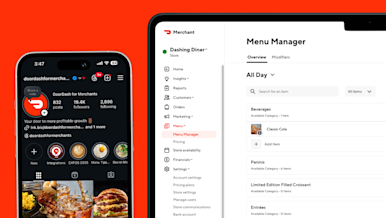
Connecting Your Instagram Account to the DoorDash Merchant Portal
Merchants can connect their Instagram account to the DoorDash Merchant Portal to add Instagram photos to their menu. This helps fill photo gaps and improve how your store appears to customers — without requiring manual photo uploads.
Dec 11, 20258 min read


