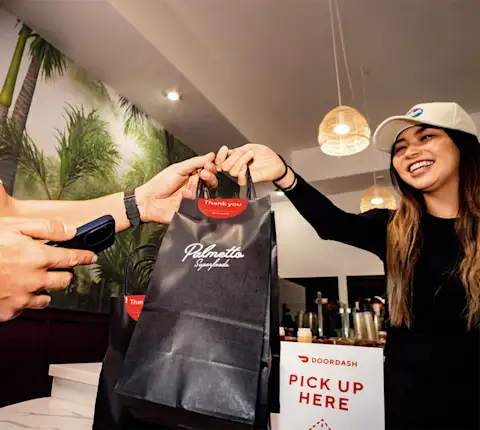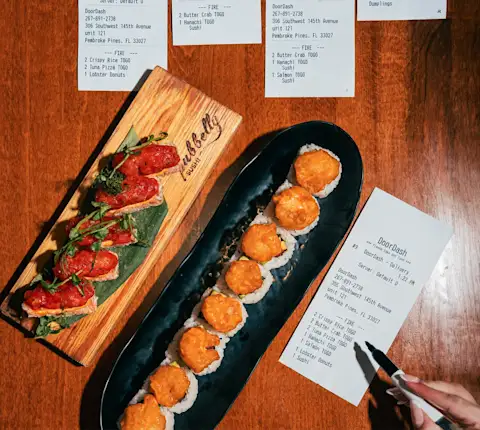
This guide speaks to both: it shows how third-party delivery platforms work, and how integrating them into one system helps your team manage delivery operations with fewer errors and less stress. Beyond the ticket volume, third-party delivery gives you a channel to turn one-time orders into repeat guests. DoorDash's 2026 Restaurant Industry Trends Report found that guests in loyalty programs order more often and spend more over time. Subscription programs like DashPass push that further — DashPass members tend to order two to three times more frequently than non-members. And Cross-Channel Loyalty rewards those same guests wherever they order, on DoorDash, through your website, or in your dining room.
What is a Third-Party Delivery Platform?
A third-party delivery platform is an external service provider that handles the full delivery process: online ordering, payment processing, driver coordination, and customer communication. It sits between your restaurant and the customer. That's fundamentally different from direct ordering through your own website — where the order comes straight to you, you own the customer relationship, and there's no platform taking a commission in the middle.
Services like DoorDash Marketplace put your restaurant in front of customers who are already searching the app, so you avoid building your own delivery infrastructure. Restaurants tap in two ways: customer discovery, where diners find you through the Marketplace app, and delivery fulfillment, where drivers handle pickup and drop-off.
How Third-Party Delivery Platforms Work (End-to-End)
For the customer, the flow is simple. They open the app, browse menus, place an order, and pay in a few taps. From there, real-time tracking shows them where their food is and when it will arrive, so they never have to call your restaurant to ask. That tracking keeps the customer experience smooth from order to doorstep.
On your side, the order lands either on a tablet or directly in your point-of-sale (POS) system. Your team accepts it, fires the ticket, and preps the food while a driver gets routed to your door for pickup. Once the driver drops off, the platform confirms delivery.
Throughout all of this, the platform handles logistics, payment security, and customer support so your team doesn't have to. DoorDash can provide a tablet to take orders — available during your trial period, then at a weekly fee — or, in many cases, integrate directly with your POS system and remove the tablet from the workflow entirely.
Run two or three platforms at once, and you're staring at a row of tablets, each chiming during the dinner rush, each needing someone to re-key the order into your POS by hand. That's what the workflow integration is built to fix.
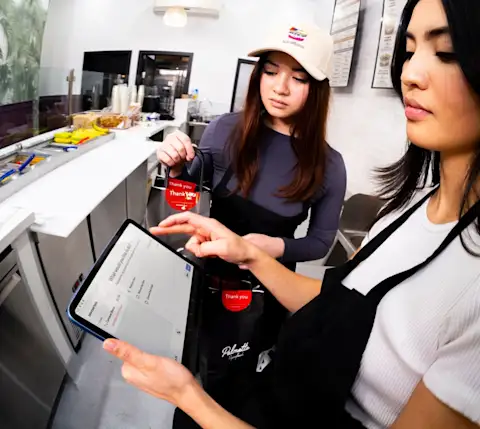
The Benefits of Third-Party Delivery for Restaurants
Customer discovery and reach. A third-party platform puts your restaurant in front of millions of active customers who are already searching for their next meal. Discovery compounds quickly: in their first month on DoorDash, new merchants receive over 20% of orders from repeat consumers, and by month three, repeat consumers make up nearly 40% of orders.
Incremental revenue without the operational lift. Delivery orders stack on top of your dine-in business rather than pulling from it. Because they run through your existing kitchen, they add revenue without proportionally increasing your fixed costs — which means more of that incremental volume can flow toward profitability, depending on your margins, packaging costs, and commission tier.
No upfront infrastructure cost. You don't hire drivers, build an app, or manage delivery logistics. The platform manages all of it, so you offer delivery without the capital and headcount it would normally take to launch.
Marketing and visibility. A listing on the DoorDash Marketplace works like a storefront on a high-traffic street. Customers who have never heard of you find you while browsing, which turns the app into an extension of your marketing before you spend a dollar on promotions or specials.
Flexible scalability. Weekend rushes and holiday spikes get absorbed by the platform's driver network, not your payroll. You meet a surge in demand without scrambling to hire or schedule extra staff.
Customer retention and loyalty. Discovery is only the first step; the real value comes from repeat guests. DashPass members order significantly more often and spend more per order than non-members, and once a customer finds you on DoorDash and joins DashPass, they tend to return across every channel — delivery, pickup, and dine-in alike.
The Challenges of Managing Multiple Delivery Apps Without Integration
Signing up for two, three, or four platforms can be a smart move. More platforms can mean more reach, more orders, and more new customers finding you. The trouble starts when you run them side by side with nothing connecting them; you end up working far harder than the orders themselves demand.
Tablet chaos. Picture a Friday dinner rush with a DoorDash tablet, an Uber Eats tablet, and a Grubhub tablet all lined up on the counter. Each one chimes on its own schedule, and your staff toggles between them while plating food and answering the phone. Somewhere in the shuffle, an order slips through unnoticed — and the next thing you know, a customer is calling to ask where their food is, a refund gets issued, and a one-star review goes up before the night is over.
Manual order re-entry. Every order that lands on a delivery tablet has to be keyed into your POS by hand. That doubles the work for a single ticket, and every manual entry is a chance to fumble a modifier, miss an allergy note, or transpose a quantity. During a rush, those small errors turn into remakes or refunds.
Menu inconsistencies. Raise the price of a burger on DoorDash but forget to update Uber Eats, and you're now selling the same item at two prices. Multiply that across dozens of items and three platforms, and your menu drifts out of sync.
No unified reporting. When your sales data lives in three separate dashboards, comparing DoorDash against Uber Eats against Grubhub becomes a manual chore. You can't easily see which platform drives your best margins or which one is underperforming. You burn time exporting and reconciling reports just to answer a question you should see at a glance.
Staff frustration and burnout. Asking your team to juggle several disconnected systems during your busiest shifts wears them down fast. The mental load of tracking which order came from which tablet pulls focus away from the food and the guests. Over time, that shows up as turnover, mistakes, and a kitchen unprepared for the dinner rush.
You're doing everything right by being on multiple platforms. Without integration, though, you're working harder than you need to.
What is Third-Party Delivery Platform Integration?
Integration connects all your third-party delivery platforms, DoorDash, Uber Eats, Grubhub, and the rest, into a single system. Orders from every platform flow into one place, either your POS or a single unified tablet, instead of scattering across a row of separate screens. Integration doesn't replace the delivery apps. It consolidates how you interact with them, so the partnerships you already have start working together.
What Integration Means (And What It Doesn't)
A few misconceptions keep restaurant operators from making the jump, so here's the clear version.
With integration in place, menu updates sync across all platforms automatically, so a price change posts everywhere at once. Reporting pulls into a single view, and orders print straight to your kitchen with no manual re-entry, automating steps your team used to handle by hand.
What integration doesn't do: it doesn't take control of your delivery partnerships away from you, it doesn't add new commissions, and it doesn't replace your POS.
Think of it as the operating system for delivery. Your existing apps keep running, but now they coordinate through one layer instead of competing for your staff's attention.
How Integration Solves Tablet Chaos
Picture the rush without it. An order from DoorDash hits Tablet 1, an Uber Eats order hits Tablet 2, and a Grubhub order hits Tablet 3, all inside 90 seconds. Your expo has to scan three screens, key each order into the POS by hand, and hope nothing disappears along the way.
With integration, those same three orders land on one screen or route straight into the POS. They print to the kitchen automatically, and your expo confirms them with a single tap. For a busy restaurant, one clean screen keeps service from falling apart at peak.
Key Features to Look for in a Delivery Integration Solution
When you compare delivery platform integrations, look for these core features.
Real-Time Order Consolidation
Every delivery order should land in one system the moment a customer places it, no matter which platform it came from. When all of it flows into a single view in real time, your team doesn’t need to hunt for orders.
Menu Sync Across All Platforms
A single menu update syncs across all your platforms at once. One edit fixes three headaches:
Prices that don't match from one app to the next
Sold-out items that customers can still order
The grind of logging into each platform to make the same change by hand
POS Compatibility
DoorDash integrates with a wide range of POS systems and middleware providers — including direct integrations with systems like Toast, Square, and Clover, and aggregator connections through Deliverect, Otter, and Checkmate.
Centralized Reporting and Analytics
One dashboard should show you performance by platform, by location, and by time period. From there, you can see which platforms pull their weight and which menu items move best on delivery, so you can optimize your menu and promotions around what sells.
For DoorDash orders specifically, the Merchant Portal pulls reporting into a single place, whether the order came through Marketplace, Pickup, or your direct channels. From there, you can track order volume by channel, monitor customer reorder rates, see average delivery times, and measure the impact of your promotions — all in one view. That kind of visibility makes it easier to spot what's working and act on it early.
How to Choose the Right Third-Party Delivery Platform
When you choose a delivery partner, weigh each option against these four factors.
Market presence and customer base. A platform only helps if its customers are already ordering in your area. DoorDash connects restaurants with millions of active customers across thousands of cities in North America, which gives most operators a built-in base from day one.
Check the coverage and order density in the area you operate.
Integration capabilities. Ask whether the platform connects to your POS or expects you to run everything off a separate tablet. DoorDash supports direct POS integrations, so orders can flow straight into the system your team already uses instead of piling up on yet another screen.
Fee structure transparency. Ask for a full breakdown of commissions, tablet fees, and payment processing costs before you commit. A transparent partner will have no problem providing this — and knowing what you're paying upfront makes it easier to evaluate whether the partnership actually works for your margins.
Support and onboarding. Find out what happens after you sign: dedicated merchant support, training for your staff, and what kind of assistance exists if something breaks mid-shift.
Low commissions help, but what counts more is which partner keeps delivery running smoothly day after day.
How to Integrate Third-Party Delivery Platforms With Your Restaurant
You can integrate delivery in four clear steps.
Step 1: Evaluate Your Current Setup
Start by mapping what you already run. List the delivery platforms you're live on, the POS system in your restaurant, and how orders flow to the kitchen. Is it through tablets, a direct POS connection, or someone re-keying tickets by hand?
DoorDash's merchant onboarding team can help you assess your setup and recommend a method that fits, regardless of how many locations you’re running.
Step 2: Choose Your Integration Method
Most restaurants land on one of two approaches.
A direct POS integration, where orders from every platform flow straight into your POS through a native connection or a middleware provider.
A unified tablet or middleware layer, where a tool consolidates all your delivery orders into one order management interface that then feeds your POS.
DoorDash supports both, with native POS integrations across dozens of partners plus API access for custom builds. The merchant support team helps you figure out which path fits your existing tech, and no IT background is needed on your end.
Real-world example: Mi Vida, a Mexican restaurant with three Washington D.C. locations, connected DoorDash to its POS. Delivery grew to between 5 and 10% of overall revenue, depending on the location, and half of their DoorDash orders now come from people ordering for the first time.
Step 3: Connect Your Platforms
Work with your POS provider or middleware partner to link your delivery accounts. For DoorDash, that means connecting your Merchant Portal account to the integration tool. Self-serve integrations typically go live within 24 to 48 hours and ask very little of you on the technical side.
Step 4: Train Your Staff
Once you're live, walk the team through the new flow:
Where orders show up
How to confirm them
How menu updates work
What to do when something goes sideways.
DoorDash provides onboarding resources and training materials to get everyone comfortable quickly. A well-built integration adds a few new steps to the workflow, so most teams pick it up fast.
Grow Your Restaurant with DoorDash Marketplace
Third-party delivery doesn't have to bring operational chaos with it. DoorDash Marketplace puts your restaurant in front of millions of customers, connects directly to your POS, and gives you the tools to run delivery at scale, all from a single platform.
When you're ready for the next step, DoorDash Commerce Platform helps you turn those Marketplace customers into regulars across every channel you run. With Cross-Channel Loyalty, guests earn and redeem rewards whether they order on DoorDash, on your website, or in your dining room, so a single delivery order becomes the start of a lasting relationship.